Our Capstone begins with two Herculean challenges: gaining control of the DJI Mini 3 drone through a GE76 Raider computer AND streaming its live video footage seamlessly to that GE76 Raider computer.

The first hurdled is the control. The muscle. Through hours of scouring the internet for the answer to control the drone in order to perform complex tasks like object recognition, facial recognition, object counting, and precise target tracking, this ambitious project, has tested my patience. I've watched countless YouTube videos, each leading to dead-end links and missing the crucial configurations and insights I needed. Yet, amidst the frustration, I found humor in the situation. It's almost comical how, in the world of cutting-edge technology, those who unlock the secrets and share them on YouTube often disappear, taking their valuable GitHub codes with them and leave us with an intriguingly aggravating enigma.

Despite these setbacks, a spark of hope has emerged. Through meticulous research in various forums and exhaustive validation of my findings, I believe we've found the elusive solution to gain control of DroneRANGER…

*Enter center stage*  QGroundControl and RosettaDrone.
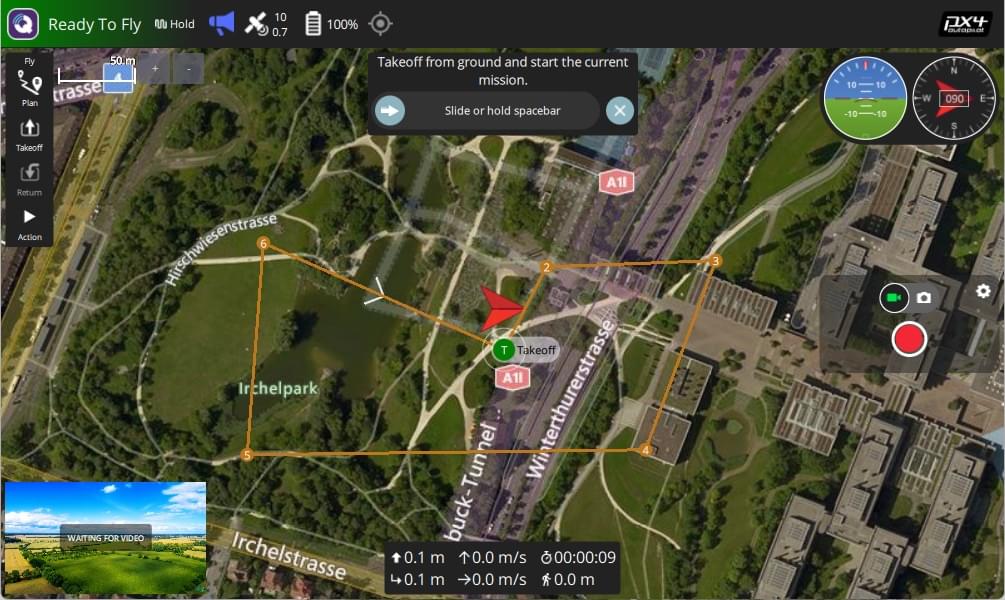
Fig. A. is a glimpse into QGroundControl. (Just an example, not my image)
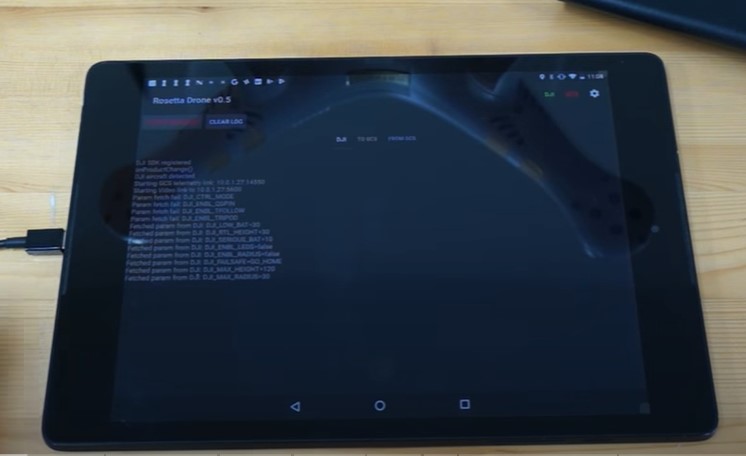
Fig. B. is a glimpse of a very rare visual of Rosetta Drone in action.(Just an example, not my image)
QGroundControl shines as our guiding light. This powerful tool provides comprehensive flight control and vehicle setup for PX4 or ArduPilot-powered drones. Its user-friendly interface is perfect for beginners, while its advanced features cater to experienced users. Alongside it, RosettaDrone offers a framework for developing and testing software for DJI drones. It includes a MAVLink wrapper, allowing control of DJI drones through MAVLink-speaking ground control stations, and tools for implementing and testing AI scripts. With the muscle in our scope, we face the pulse.
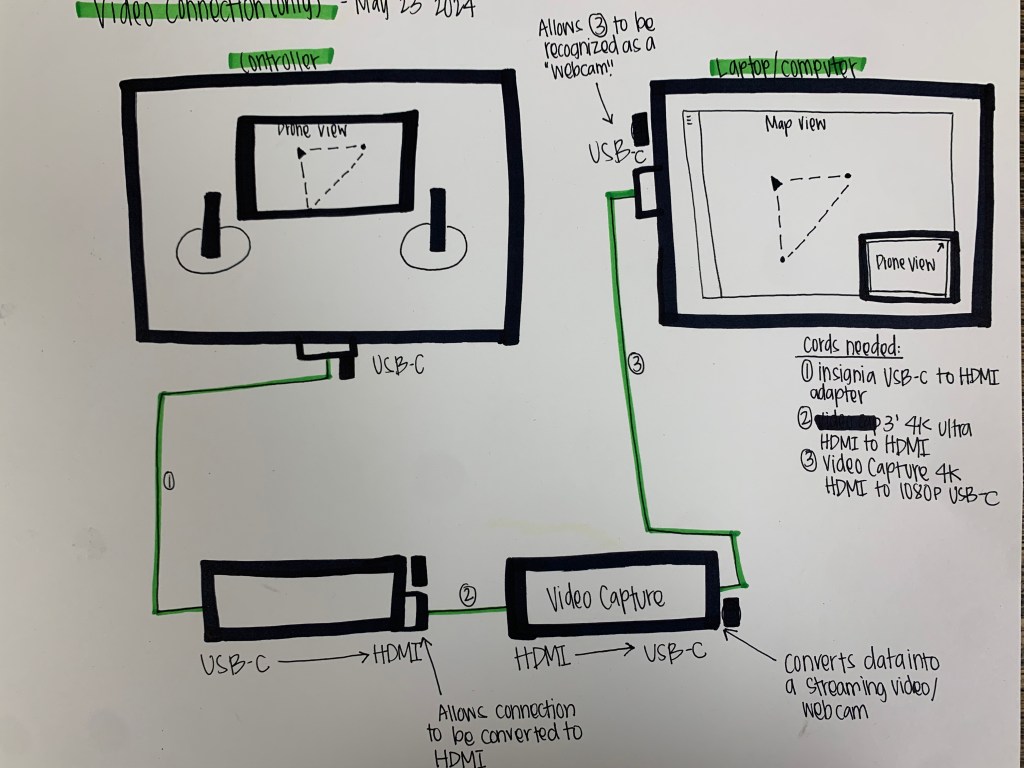
The primary and pulse of this Capstone project is live streaming the drone's view to the GE76 Raider computer. This seemingly simple task requires complex wired connections and a little manipulation to ensure the computer recognizes the drone footage as accessible video through code. Of course I come bearing the answer for you, therefore have seemingly the lost connections needed to stream. The following:
Fig. C. My illustration of the hardware needed for the connection
1. The drone connects to the controller via USB-C port. 2. The controller connects to the HDMI port of the video capture device via a USB-C to HDMI adapter. 3. The video capture device converts the HDMI signal into a USB-C signal, connecting to the laptop/computer via the USB-C port, and allows it to be recognized as a webcam. ----------------------------------------------------------------
Two of the three wires have been delivered. Tomorrow the last wire will arrive, and the tests will commence. Stay tuned and SUBSCRIBE as we bring DroneRANGER to life.
 Aiming for the Stars: My Aspirations in Aerospace and AI
Leave a comment