Hello, dear reader!

It’s been an exciting journey so far with the DroneRanger project, and today we’re diving into a crucial aspect of our development: creating intuitive menus for seamless navigation using Tkinter. Previously, we tackled some major challenges and made significant strides in setting up our environment. Now, it’s time to focus on making the DroneRanger more user-friendly with well-designed GUI menus. Let’s get started on how we’re leveraging Tkinter to build a robust and easy-to-navigate interface for our drone control system!
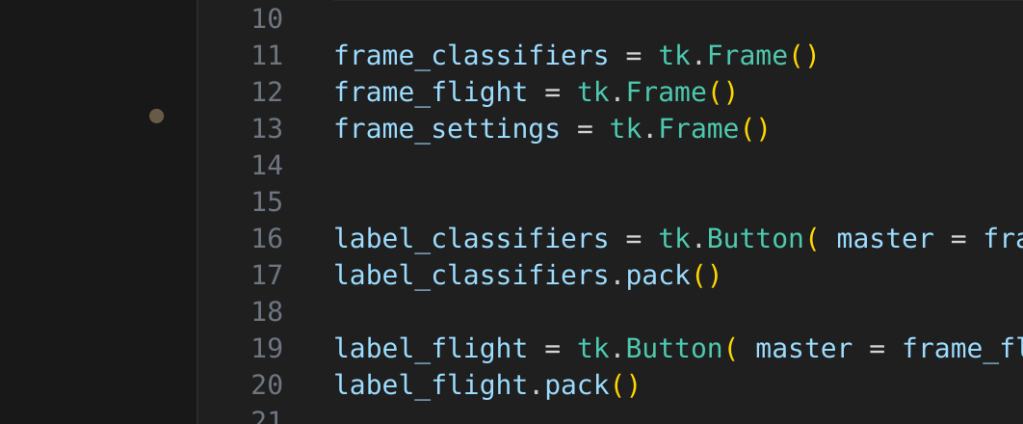
Let's delve into the code method I used for setting up the Tkinter menus, which will significantly enhance the DroneRanger's effectiveness.
Setting Up the Tkinter Menus
1. Importing Required Libraries:
    • 'tkinter'- The main Tkinter library for GUI elements.
    • 'ttk'- Themed Tkinter widgets for modern look and feel.
    • 'time'- To add delays in the progress bar.
    • 'askopenfilename'- To open file dialog boxes.
Code EX:
Import tkinter as tk
from tkinter import ttk
import time
from tkinter.filedialog import askopenfilename
2. Creating the Main Menu Window:
    • ‘menu’- The main window for the menu.
    • Frames and buttons to organize and display different menu options.
3. Adding Checkboxes for Classifications:
    • ‘IntVar()’- To hold integer values for the checkboxes.
    • Checkbuttons for different classifiers like people, cars, trucks, and planes.
4. Adding On/Off Option:
    • ‘Combobox’-  Dropdown menu to select between "ON" and "OFF".
    • ‘on_select’- Function to display the selected option.
5. Adding Entry for Threat Count:
    • Entry widget to input threat count.
6. Adding File Opening Feature:
    • ‘askopenfilename’- To open a file dialog box and read the selected file.
7. Adding Progress Bar:
    • ‘Progressbar’-  To display progress.
    • ‘start_progress’- Function to update the progress bar.
8. Running the Main Loops:
    • 'mainloop()'- To run the Tkinter event loop.

Tips for Using Tkinter Menus:
    1. Modularize your code. I kept different functionalities in separate functions to make the code clean and manageable.
    2. Use Grid and pack correctly. It may be a bit confusing when using ‘.grid()’ versus '.pack()' so I came up with the following that was useful:

        A. The '.pack()' manager organizes widgets in blocks before placing them in the parent widget. It is the simplest manager to use but offers less control over the precise placement of widgets.
--------Tips to know:
    • It can arrange widgets vertically or horizontally.
    • Specify the side of the parent widget against which the widget should be packed (TOP, BOTTOM, LEFT, RIGHT).
    • Use ‘padx’ and ‘pady’ to add padding around widgets.
    • Use ‘fill’ to make the widget expand to fill available space (NONE, X, Y, BOTH).
    • Use ‘expand’ to allow the widget to expand to fill any extra space in the geometry master.

        B. The '.grid()' manager places widgets in a two-dimensional grid, similar to a table. It provides more precise control over the placement of widgets than '.pack()'.
--------Tips to Know:
    • Specify the row and column for each widget.
    • Specify how the widget should be stretched to fill the cell (N, S, E, W, or combinations).
    • Use ‘padx’ and ‘pady’ to add padding around widgets.
    • Use ‘columnspan’ and ‘rowspan’ to make a widget span multiple columns or rows.
    • Use ‘weight’ to specify how extra space should be distributed among rows or columns.
The power of Tkinter lies in its simplicity and flexibility, making it the perfect choice for my  DroneRanger. By leveraging widgets like buttons, labels, checkboxes, and comboboxes, I have created an intuitive and efficient GUI that enhances user interaction. Tkinter’s menu structures, along with its capabilities for handling complex tasks such as file handling and progress tracking, making it an excellent tool for developing a robust front-end application.

Utilizing Tkinter has allowed me to design a user-friendly interface that accelerates the effectiveness of the DroneRanger, while  building a user-friendly or a more complex application, understanding and utilizing Tkinter’s features will undoubtedly take my capstone to new heights. Stay tuned and subscribe for more insights on developing the DroneRanger.
Sincerely, Yours Truly!
 Aiming for the Stars: My Aspirations in Aerospace and AI
Leave a comment